
Step 1
A shortcode is a short code between square brackets. Paste it into a page and WordPress shows the form or booking calendar in its place. It works in every editor and page builder. In the block editor, the Kwazi blocks do the same with a menu instead of a code.
Step 2
A form: block “Kwazi form”, or this shortcode. The number is the form’s own: copy it from the “On your website” tab of the form.
[kwazi_form id="25"]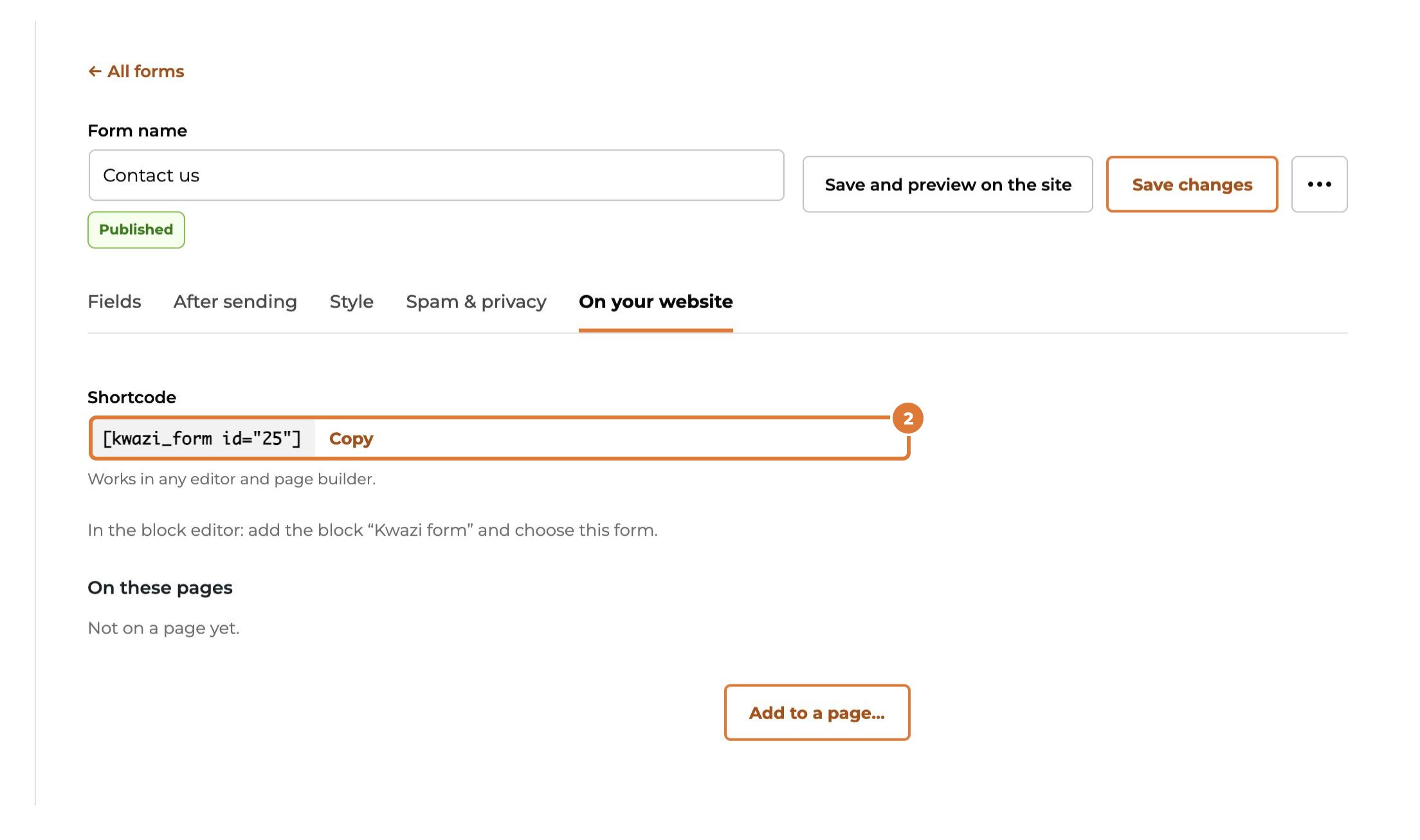
Step 3
The booking calendar with all services and the whole team: block “Kwazi booking”, or this shortcode (also on the “Website” tab of Services & team).
[kwazi_booking]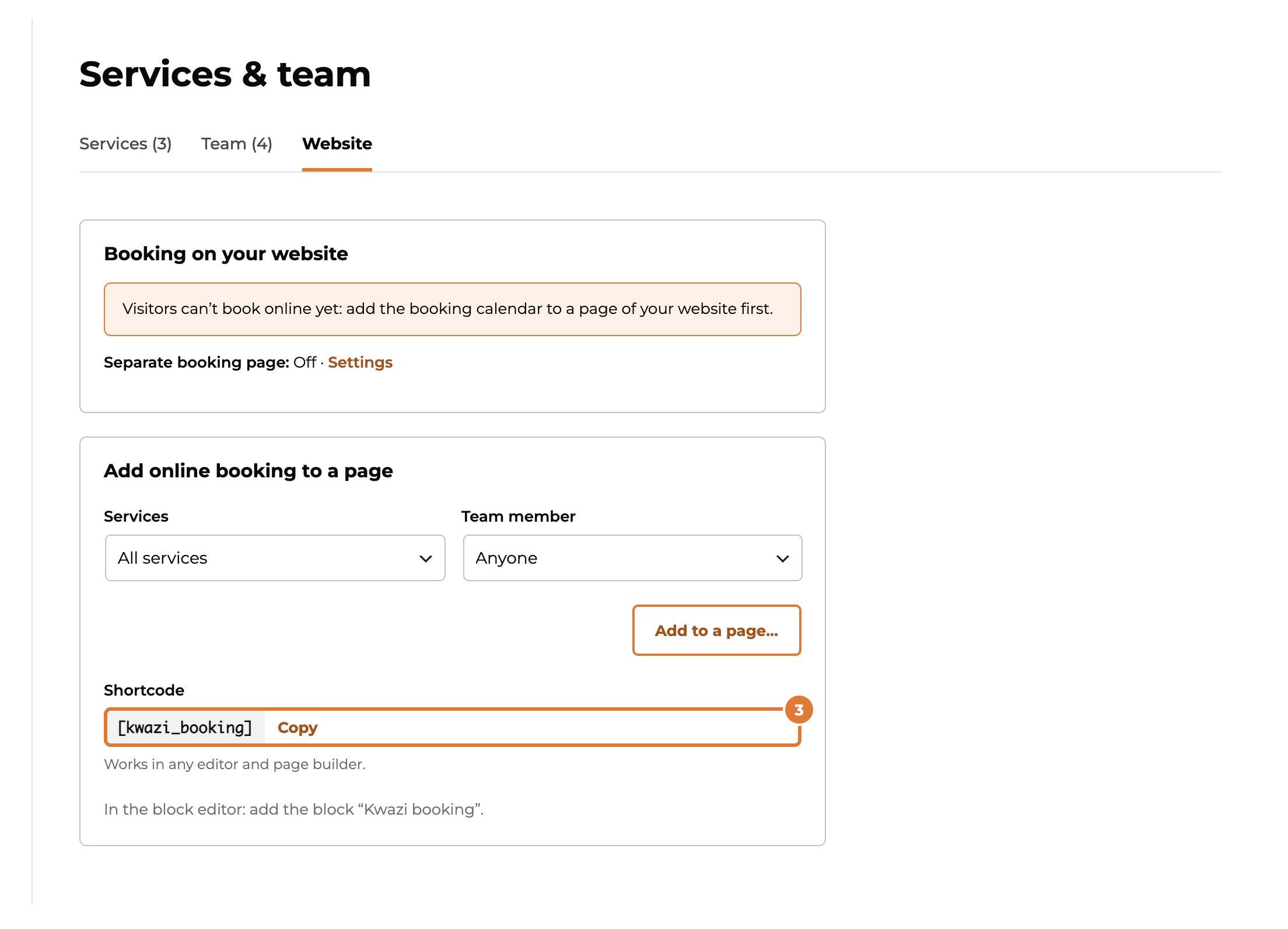
Step 4
Only one service or one team member, for example on the page about that service: choose them here and copy the code it makes for you.
[kwazi_booking service="…" staff="…"]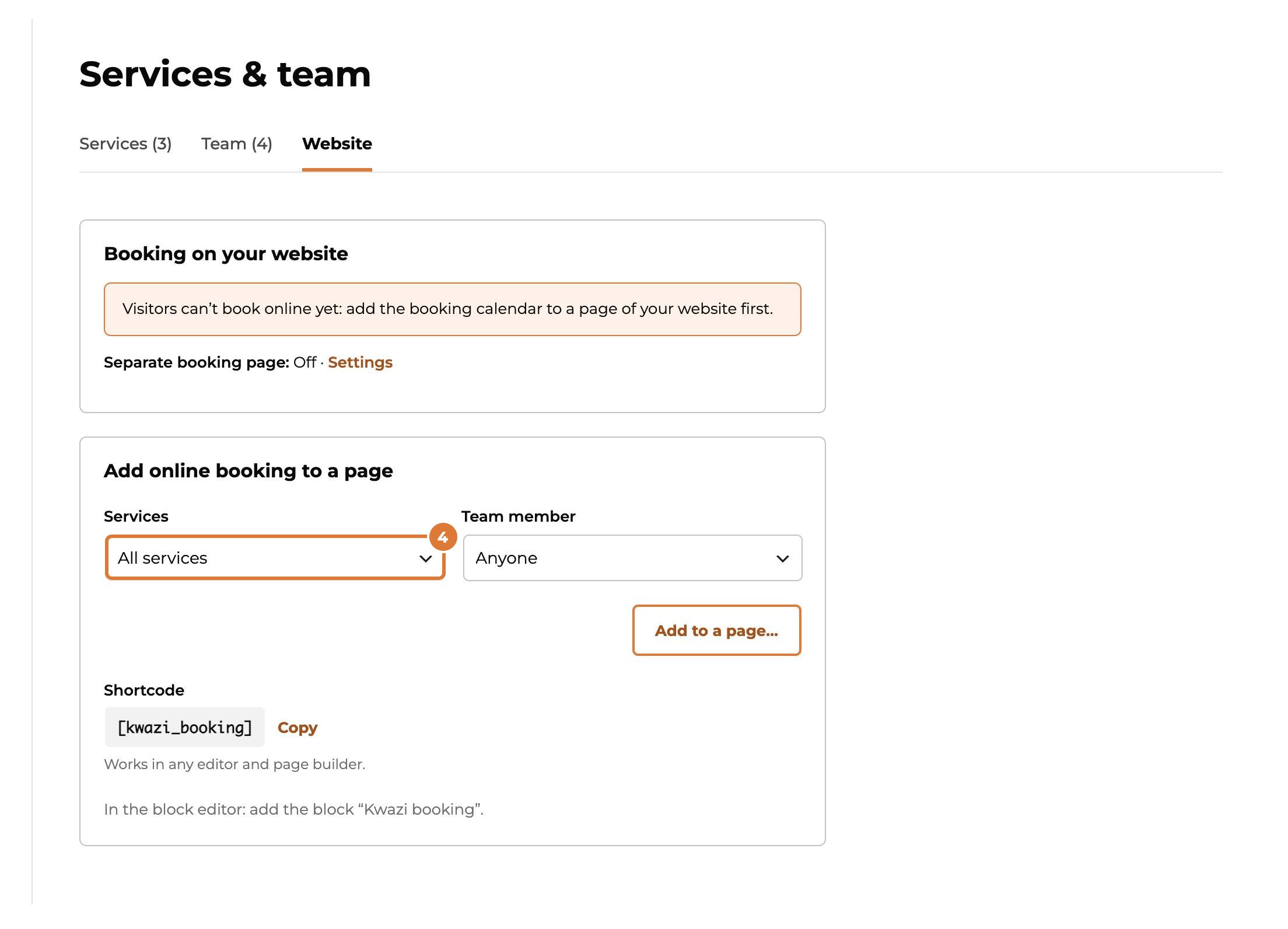
Step 5
Nothing shows on the page? Check that the form is published, that at least one service is bookable online, and that the app is on (Apps). Check the page logged out, or in a private window: some page builders only show shortcodes in the preview.