Step 1
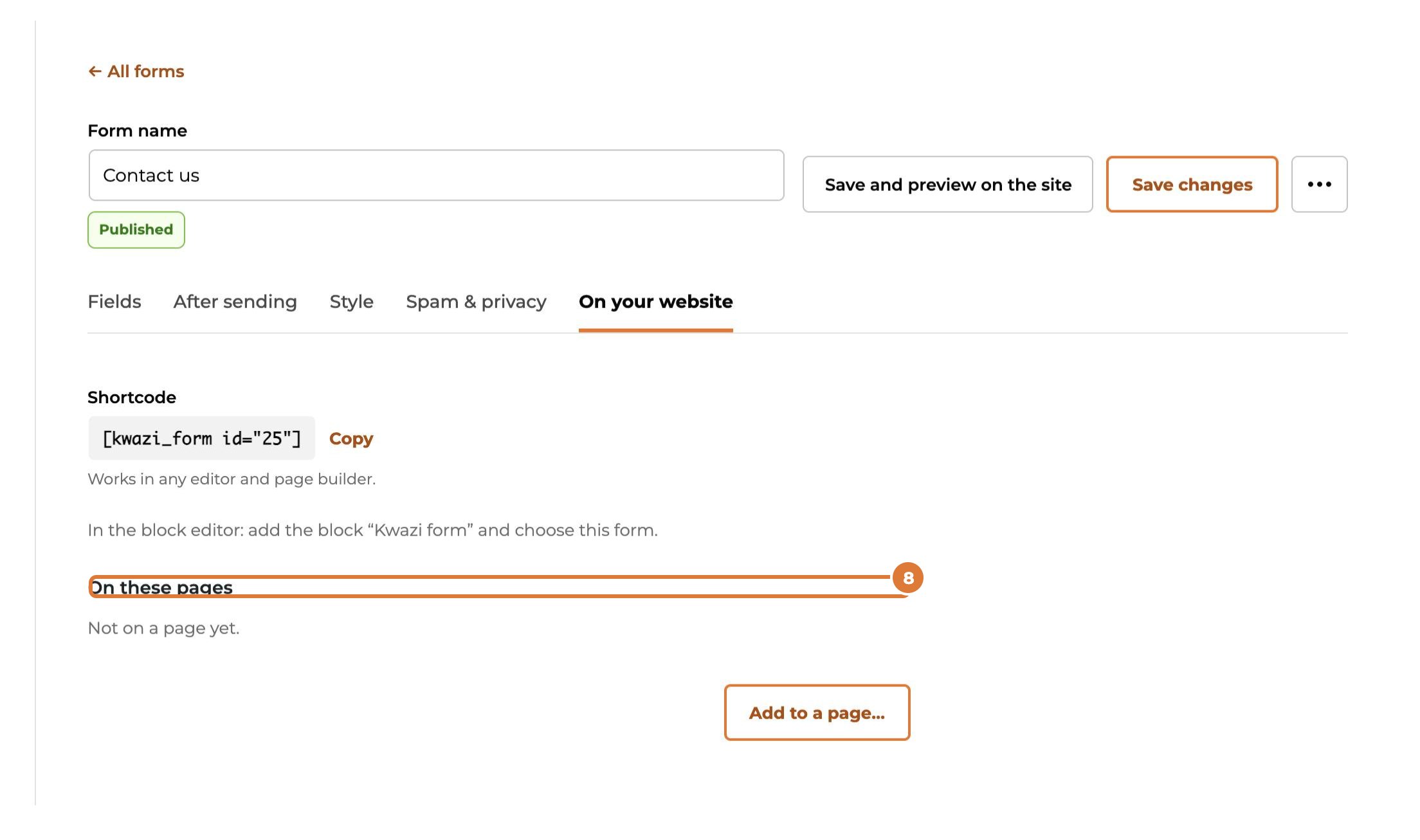
Open the form and go to the “On your website” tab. The form must be published: a draft shows nothing to visitors.
Step 2
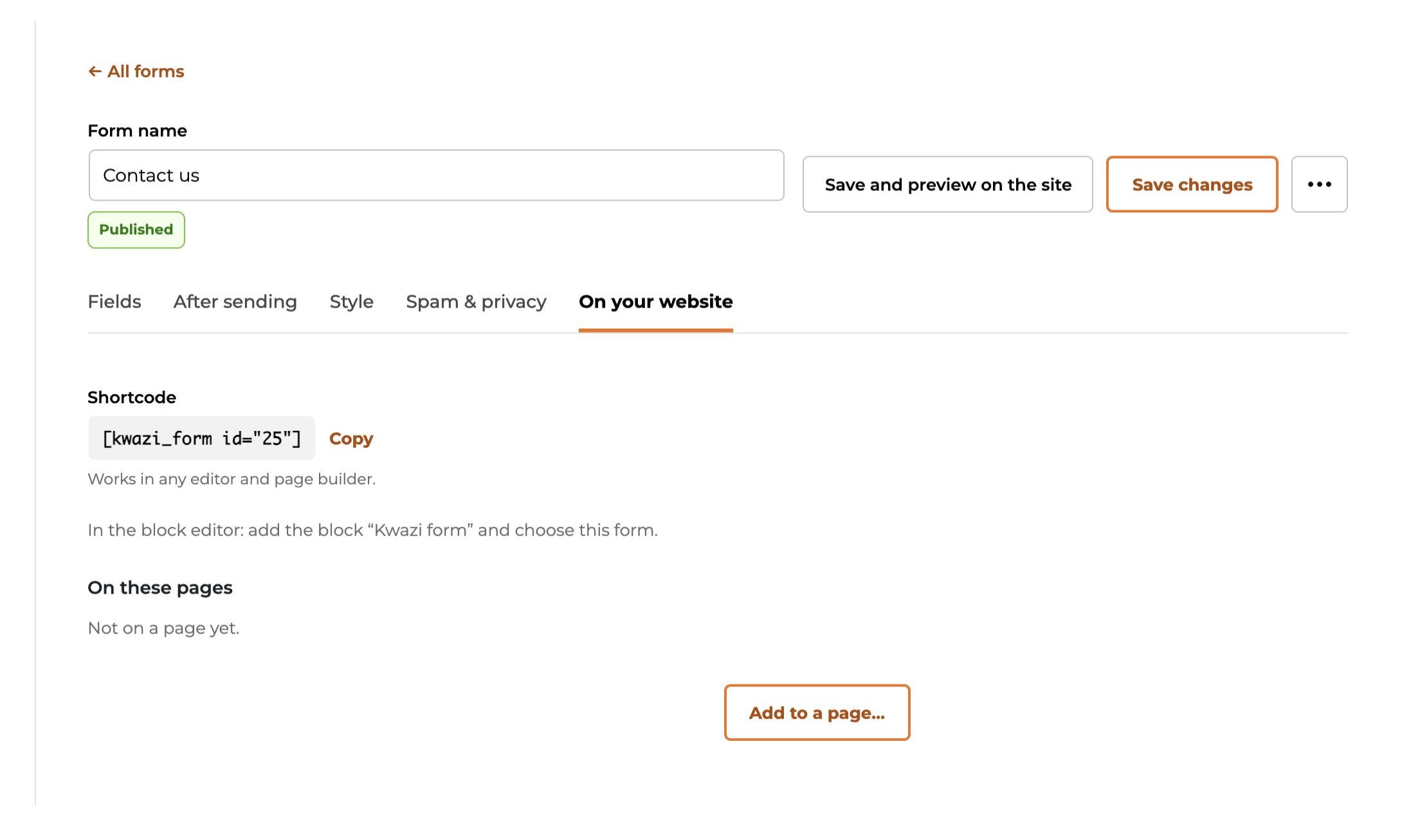
The easiest way: choose “Add to a page…”.
Step 3
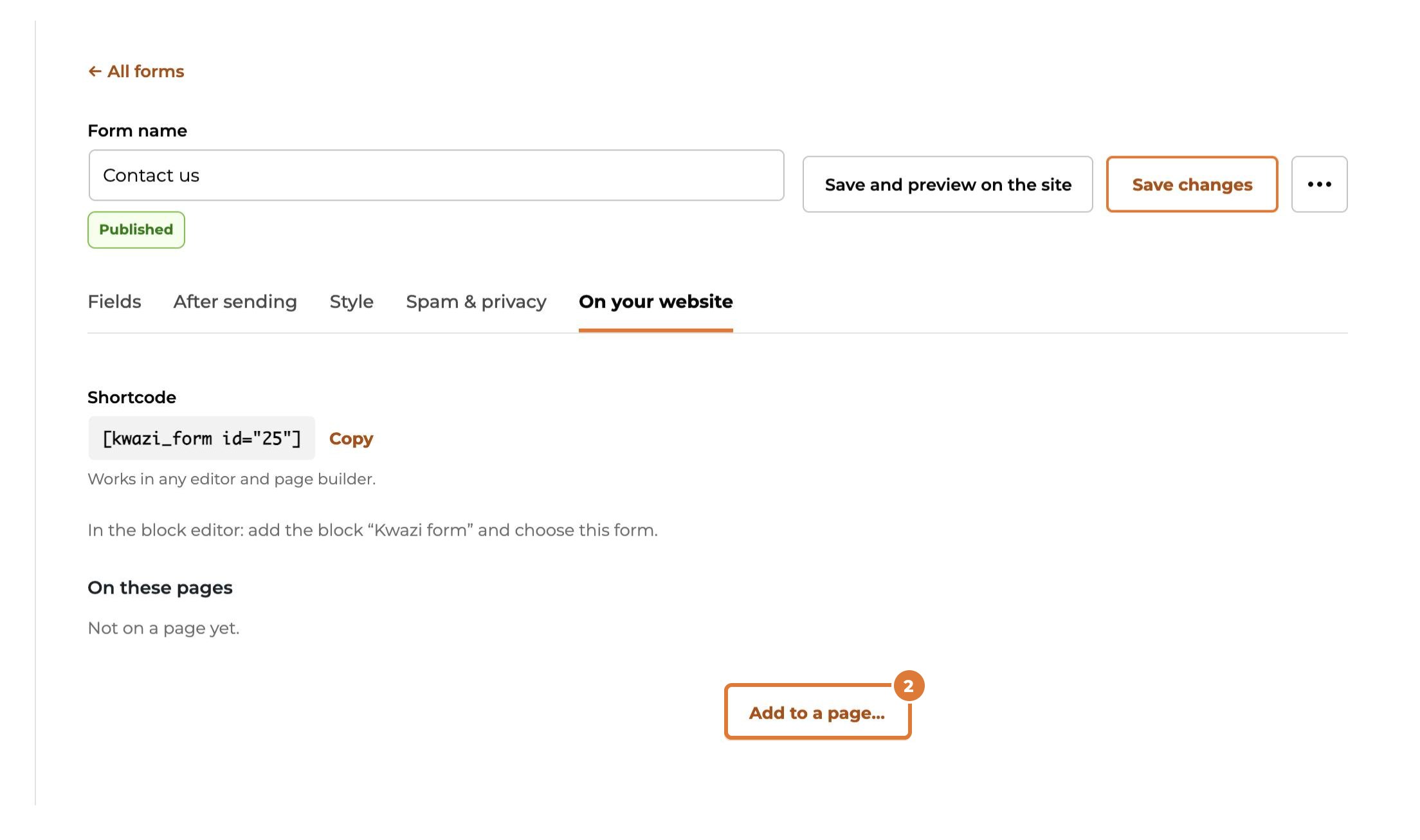
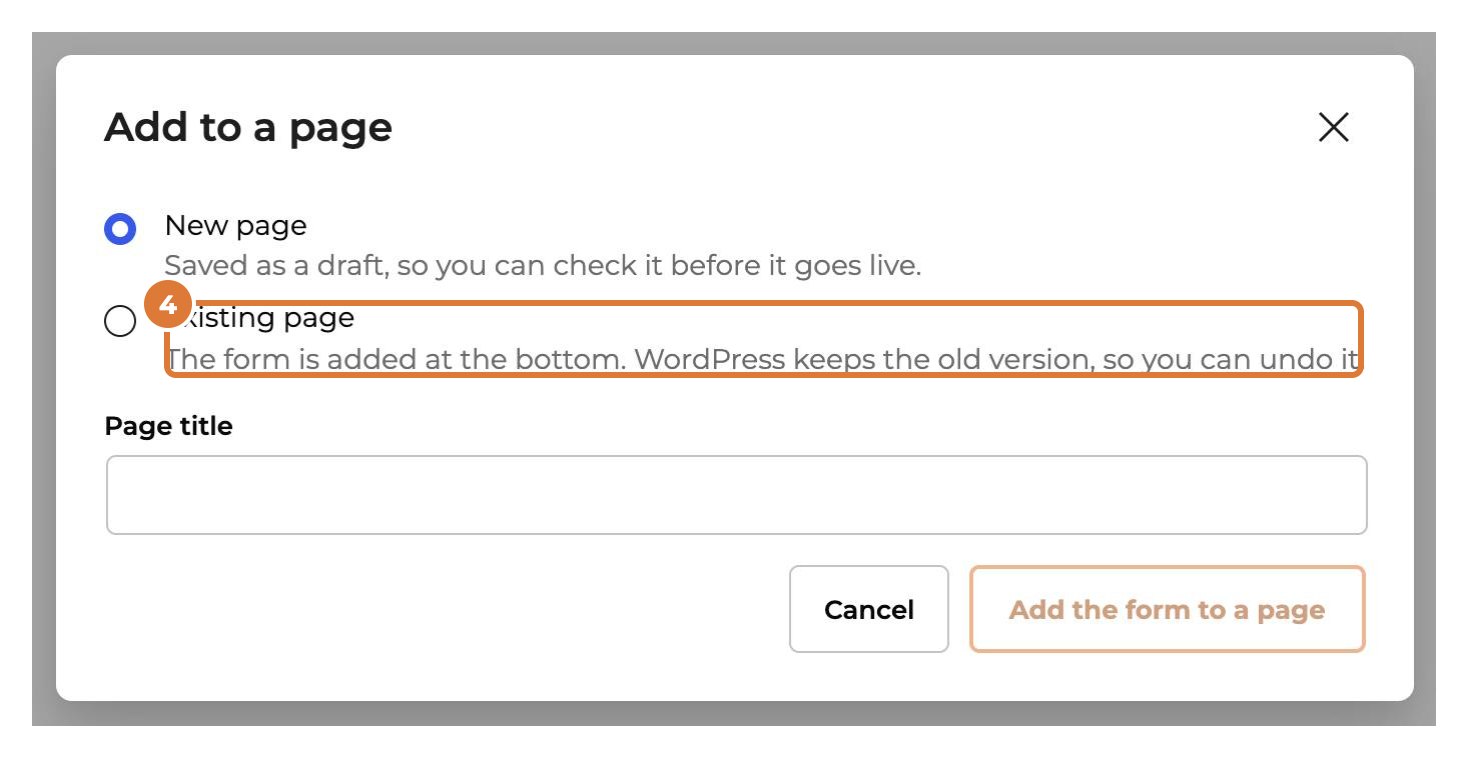
“New page” makes a page with the form, saved as a draft: check it, then publish it in WordPress.
Step 4
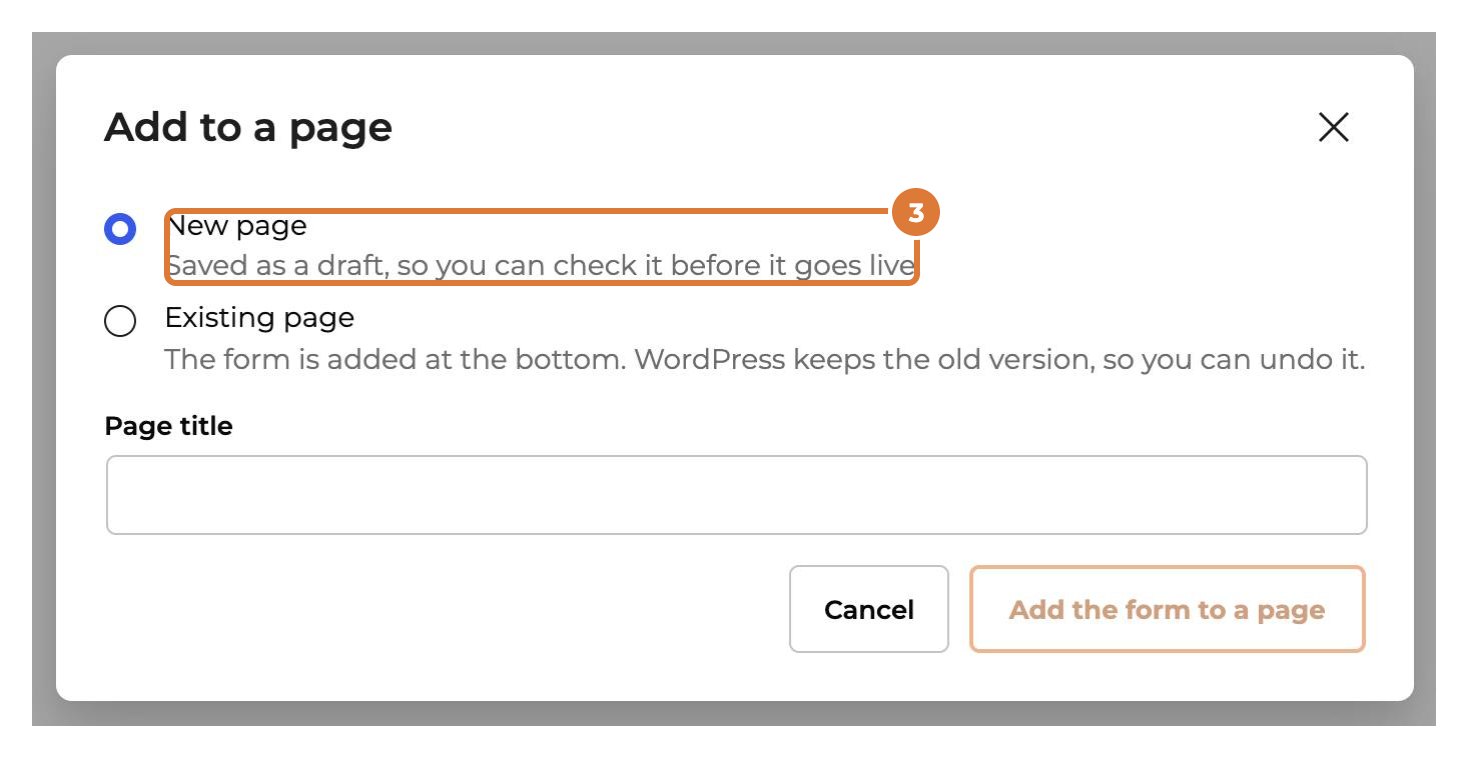
“Existing page” adds the form at the bottom of a page you choose. WordPress keeps the old version, so you can undo it.
Step 5
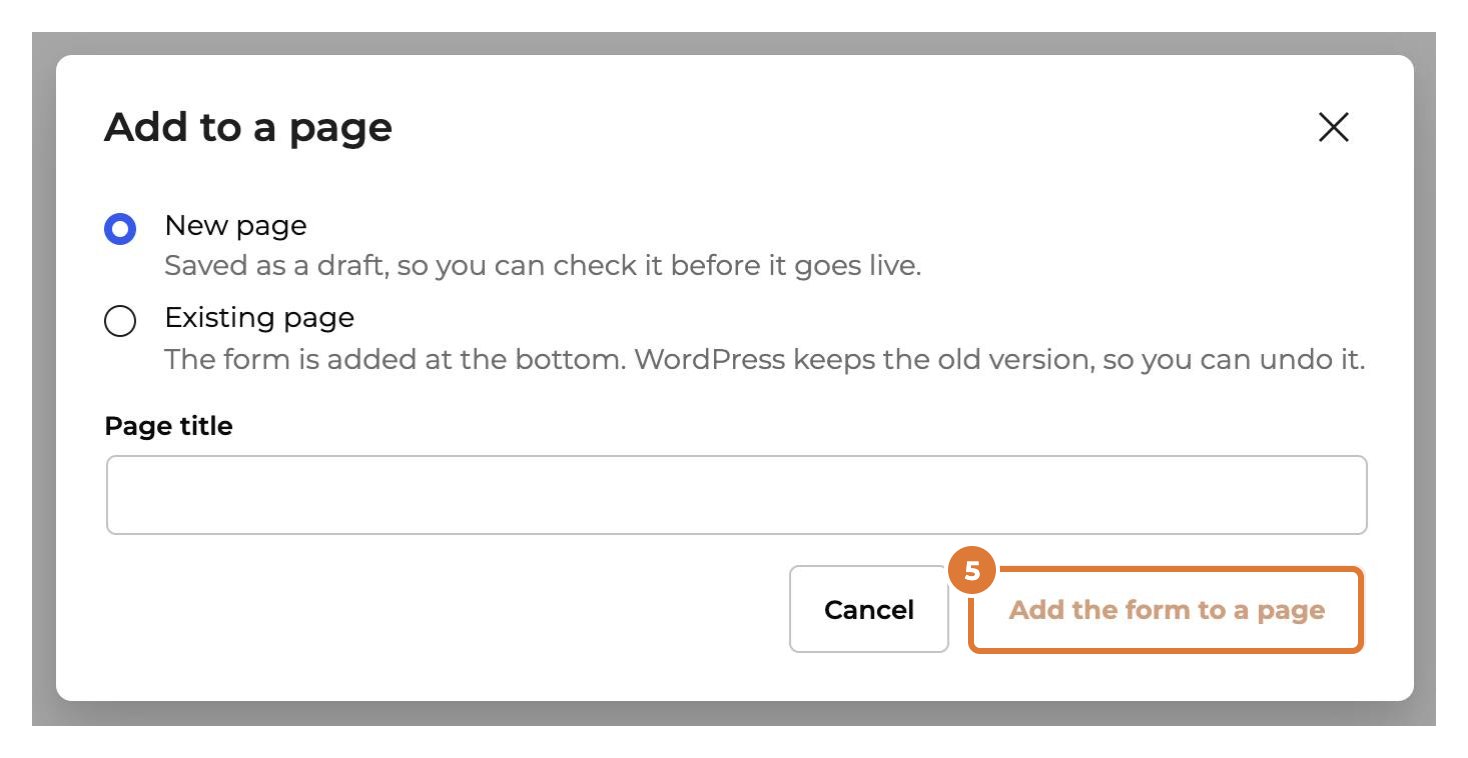
Then choose “Add the form to a page”.
Step 6
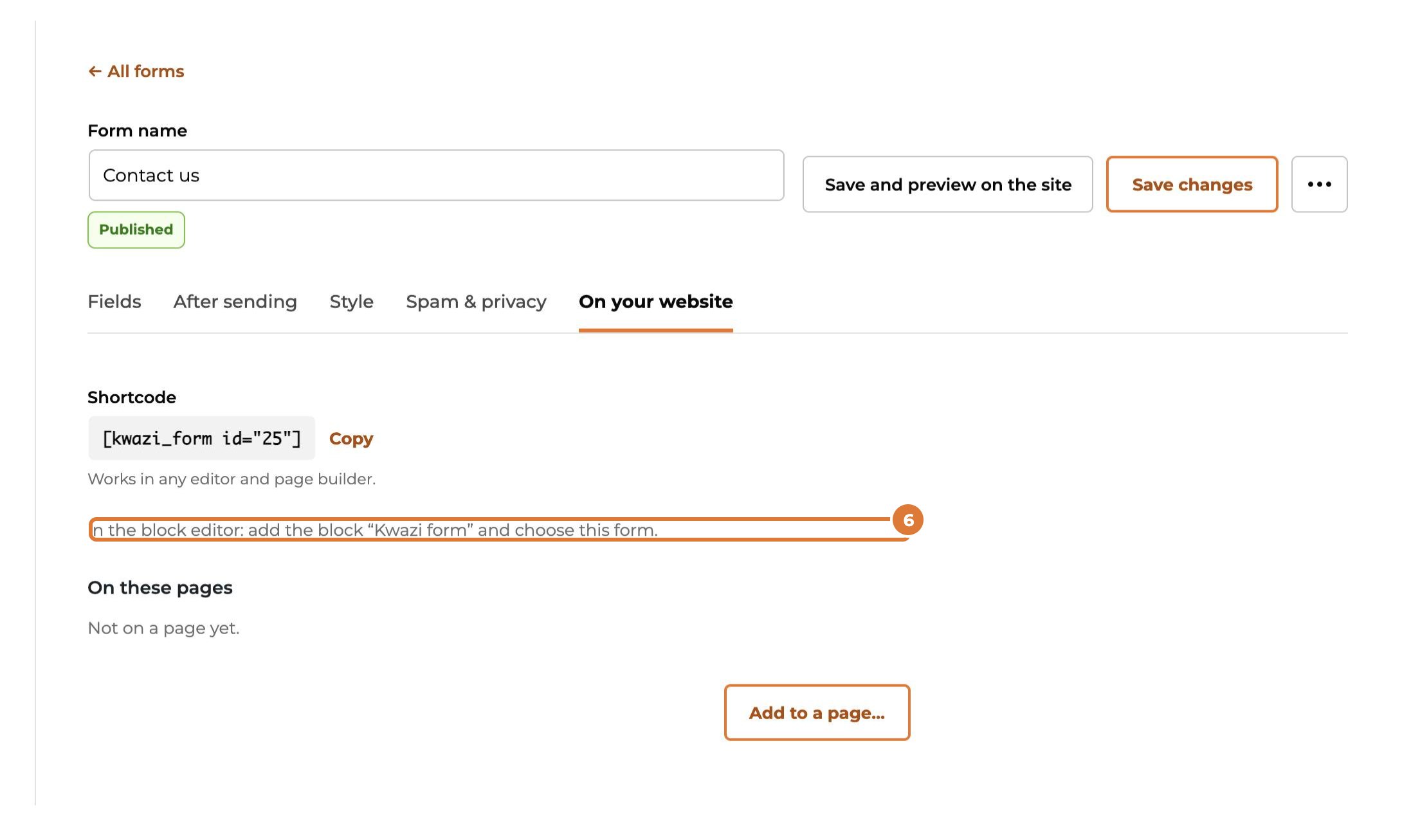
Building the page yourself in the block editor? Add the block “Kwazi form” and choose the form.
Step 7
Another editor or page builder (Elementor, Divi…)? Copy the shortcode and paste it in a text or shortcode element.
[kwazi_form id="25"]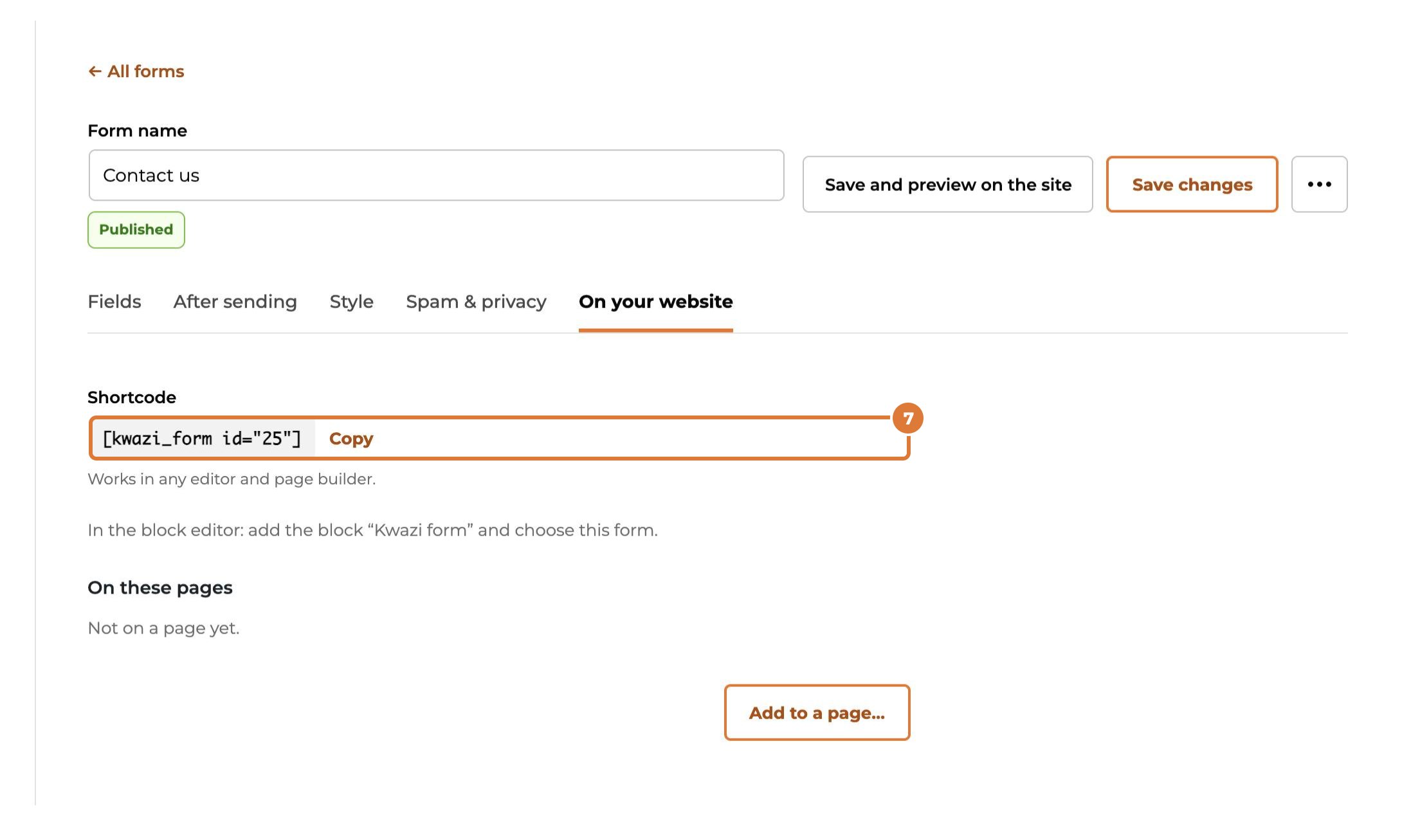
Step 8
“On these pages” shows where the form is used, so you can always find it back.