
Step 1
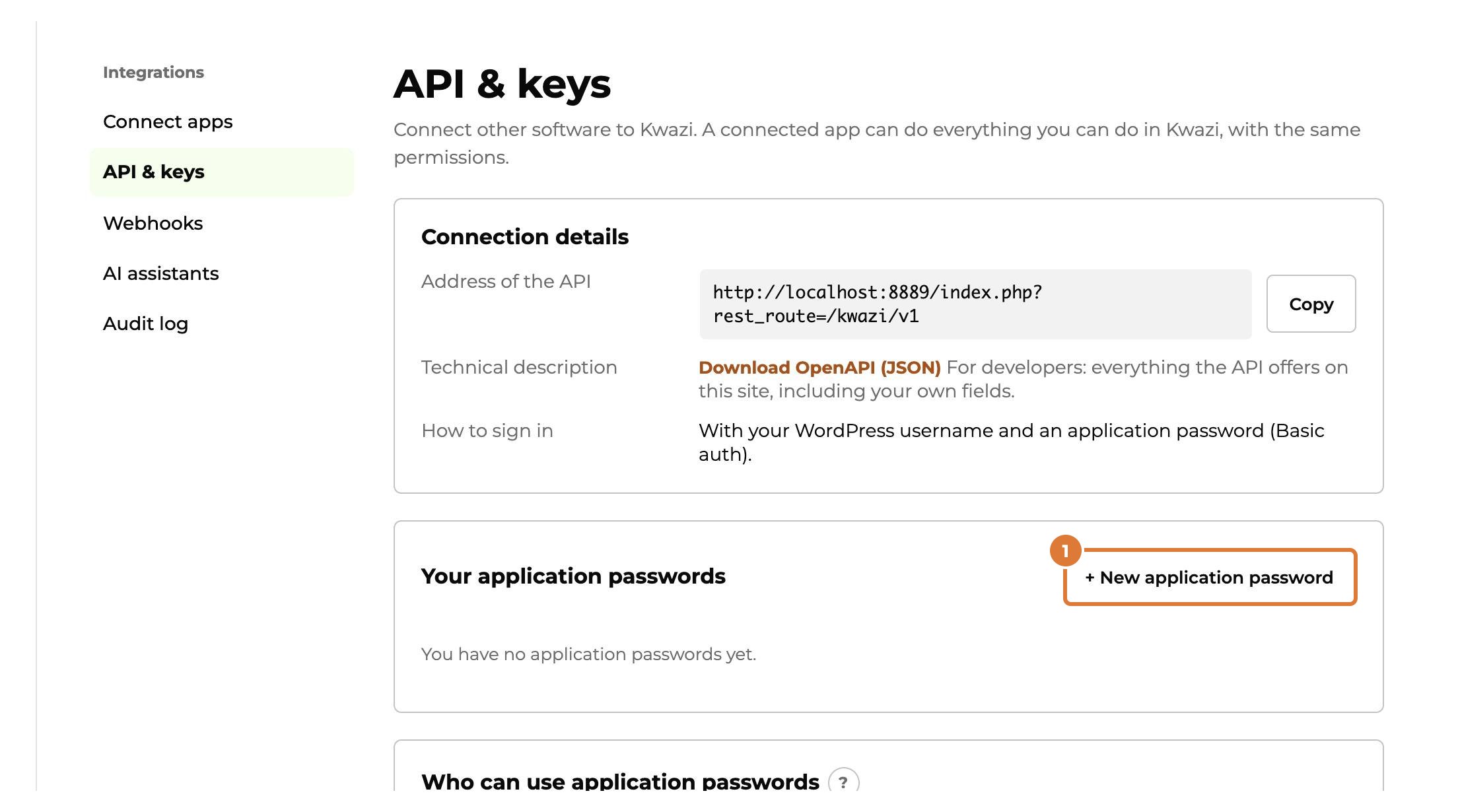
To let another app send data to Kwazi: Integrations → API & keys, “+ New application password”. Name it after the app (for example Zapier), choose “Create” and copy the password right away: you won’t see it again.
Step 2
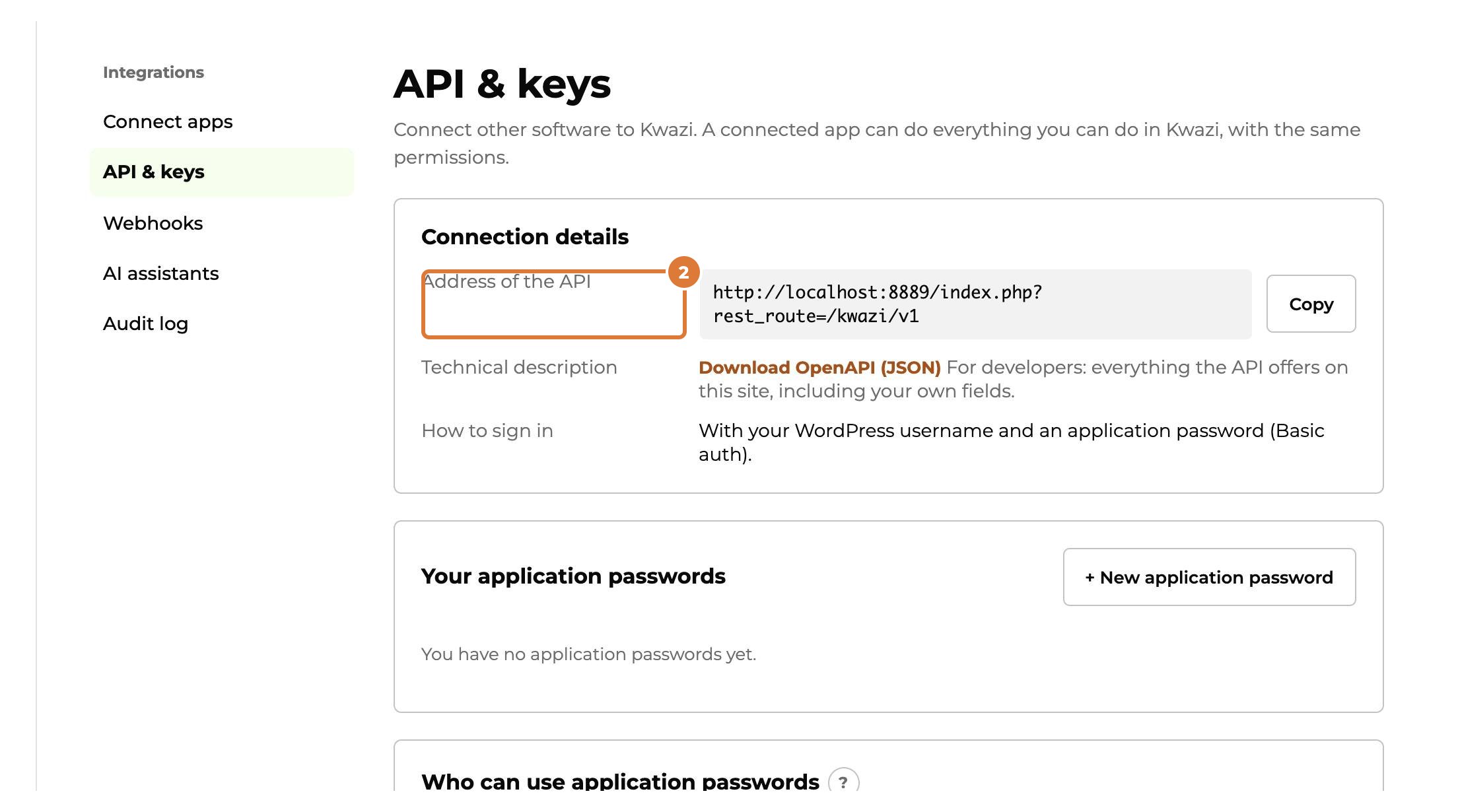
In the other app, sign in with your WordPress username and that password, and the “Address of the API” from this screen.
Step 3
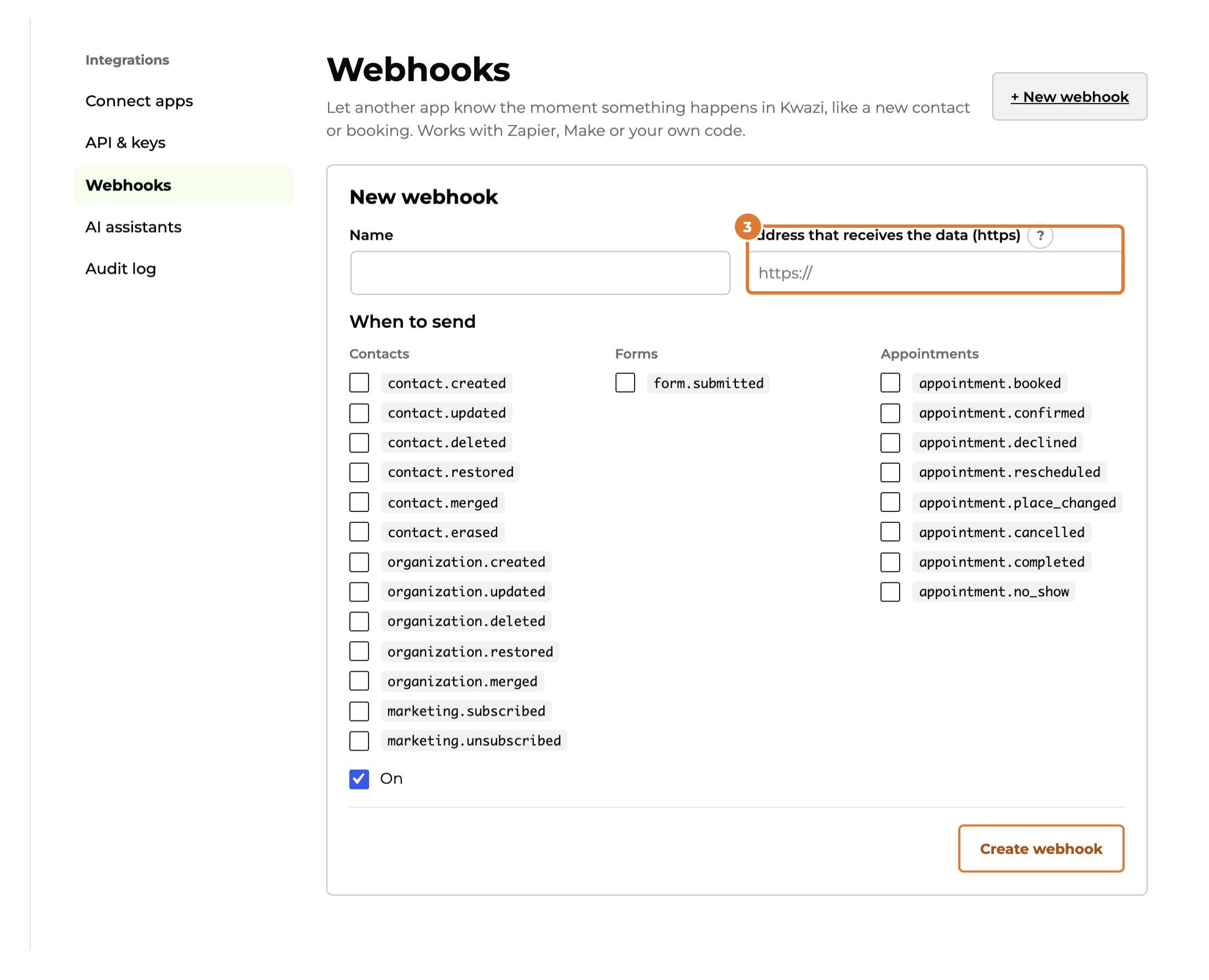
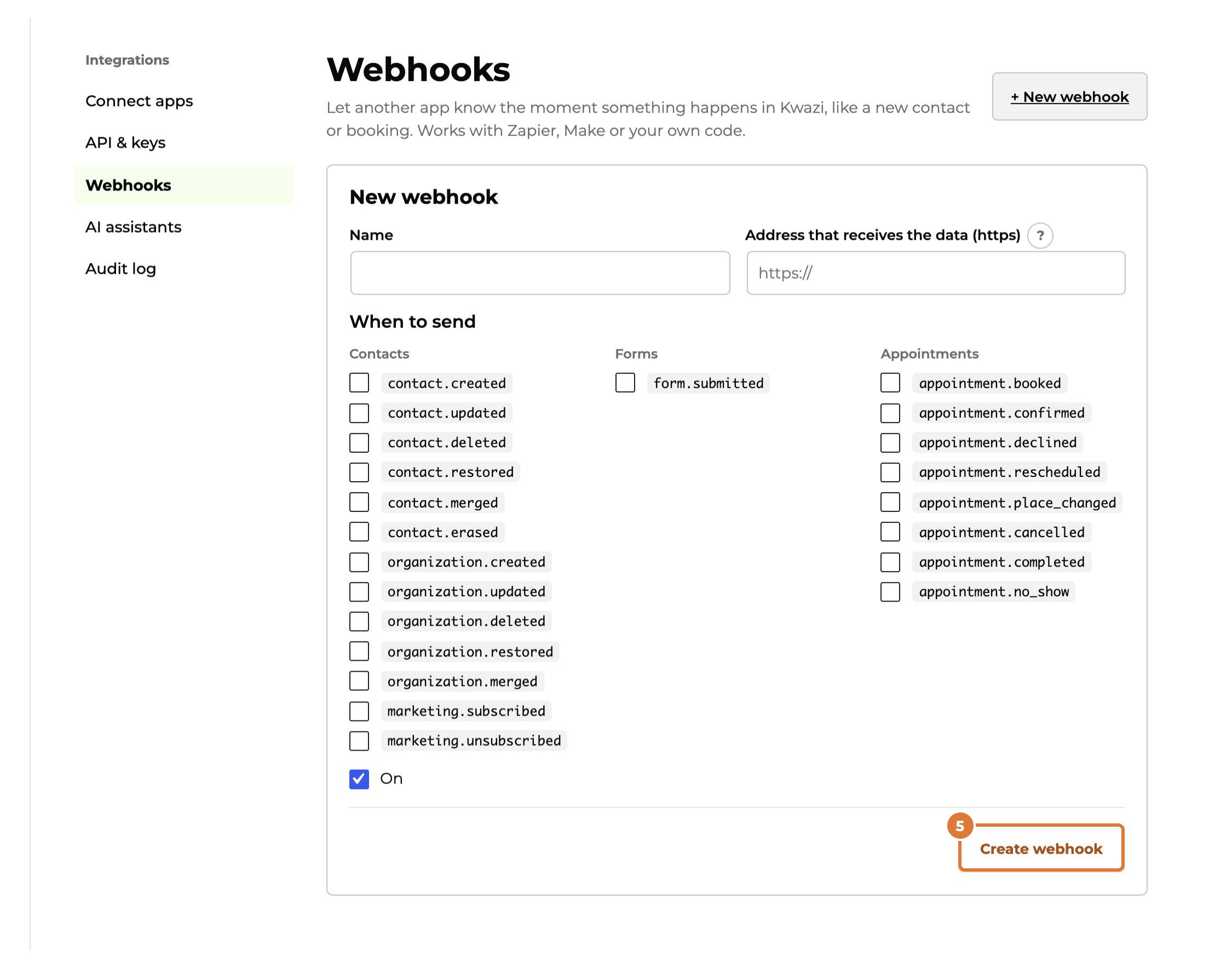
To let Kwazi tell another app when something happens: Integrations → Webhooks, “+ New webhook”. Paste the address the other app gives you (in Zapier: “Catch Hook”, in Make: “Custom webhook”).
Step 4
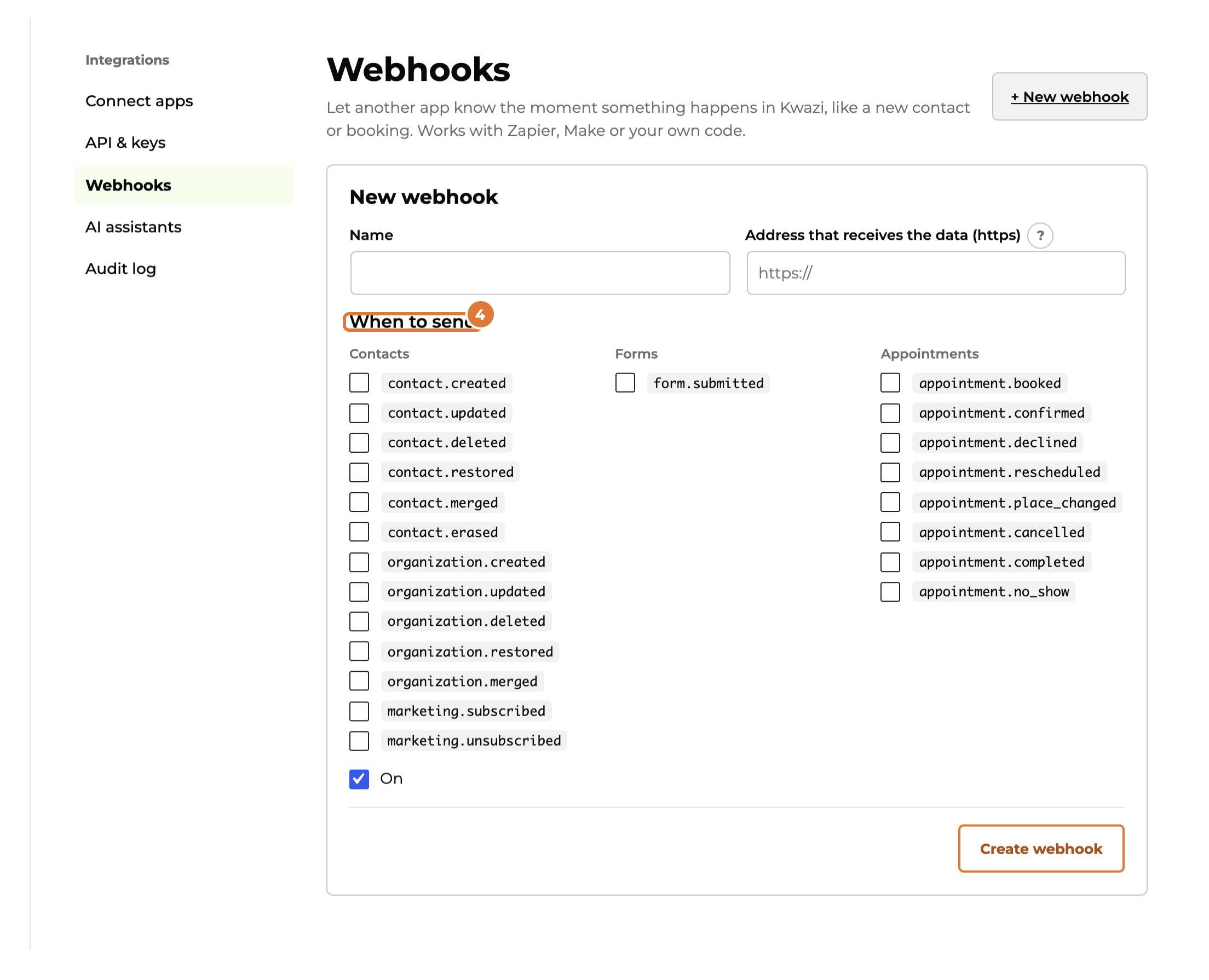
Choose the events, for example a new contact or a booked appointment.
Step 5
Choose “Create webhook”, then “Send test event”: the other app should receive it within seconds.
Tip: Stop a connection by deleting its application password or webhook. Every action of a connected app is in the audit log.