
Step 1
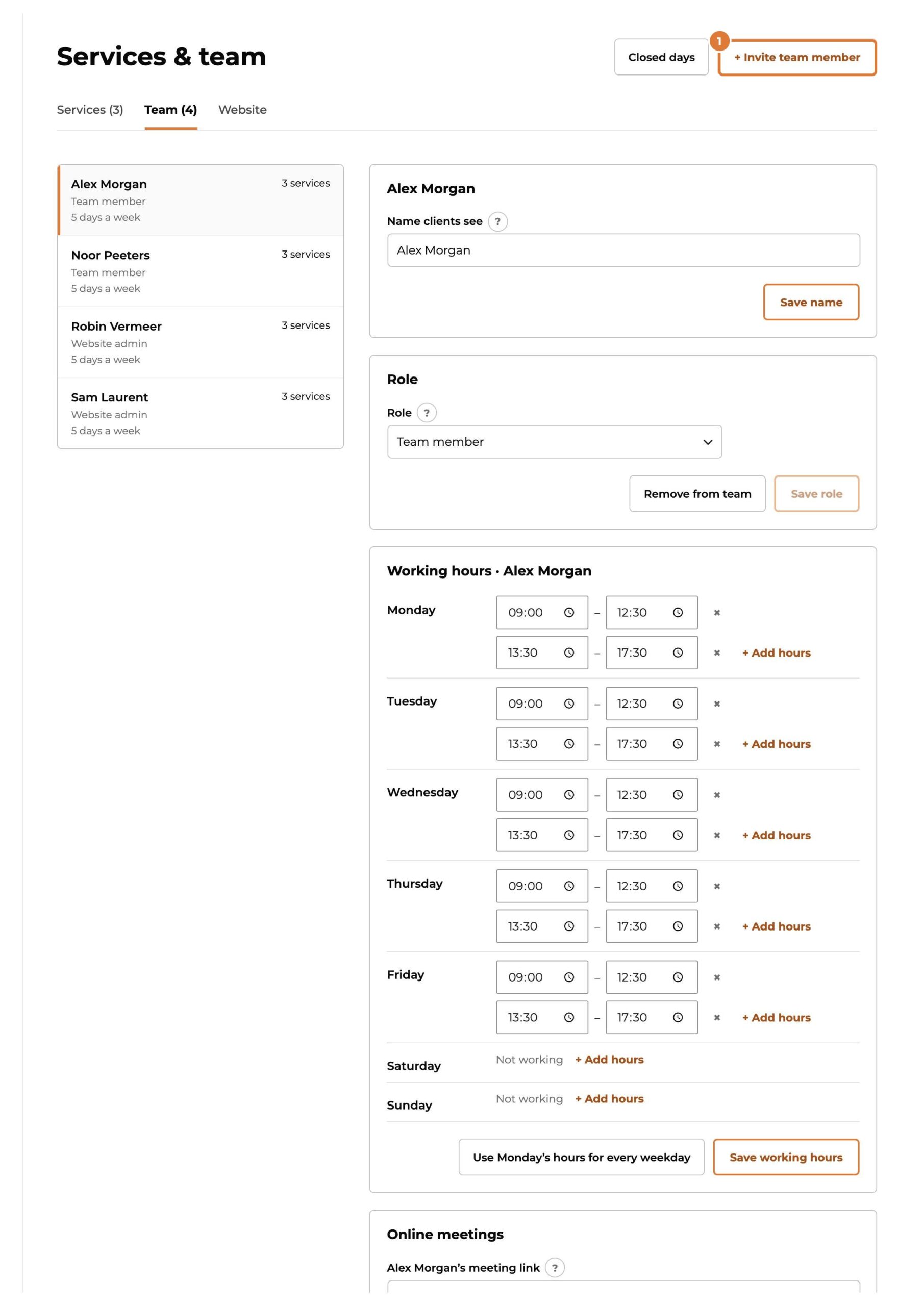
Go to Services & team, “Team” tab, and choose “+ Invite team member”.
Step 2
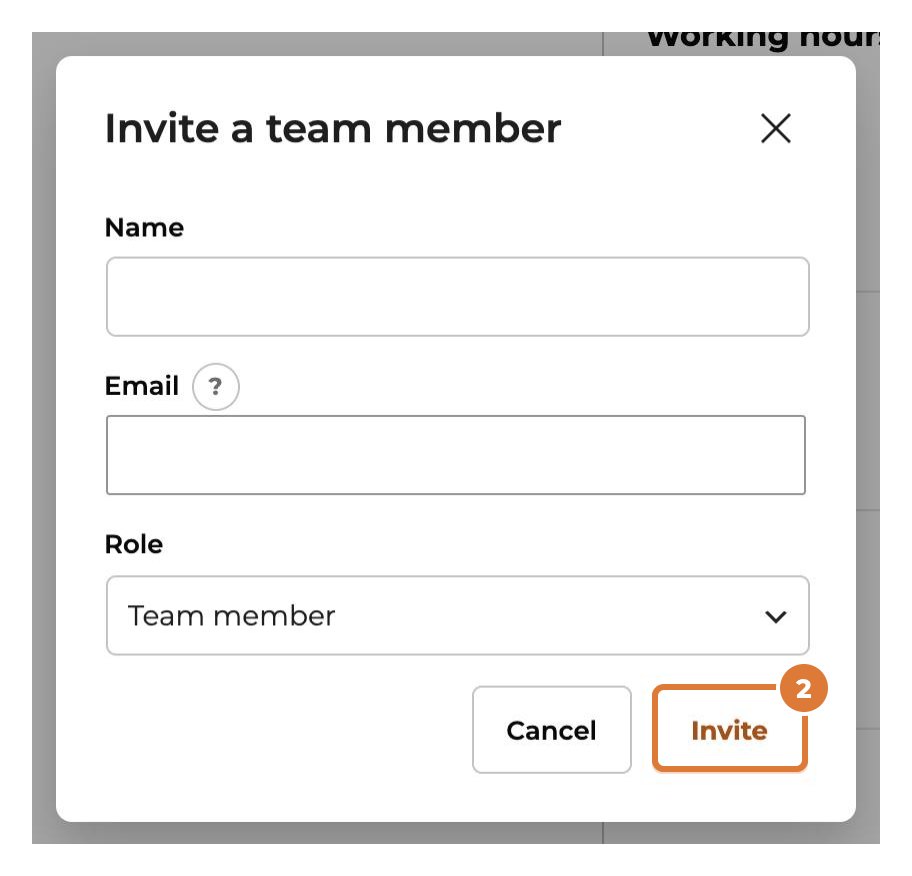
Fill in their name and email address and choose “Invite”. They get an email to choose their own password: you never need to know it.
Step 3
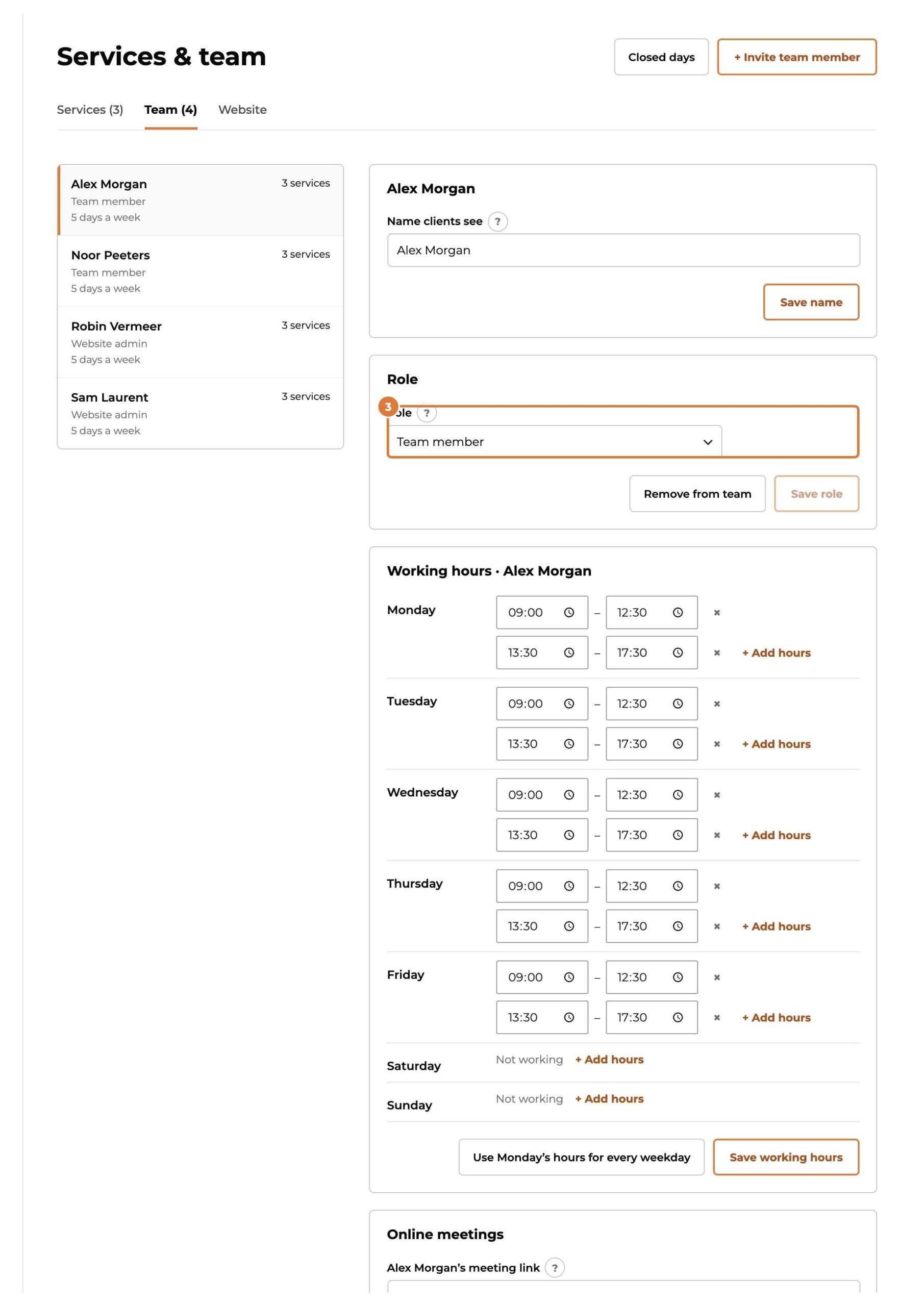
Click someone in the team to change their role: Team member (what you allow below), Kwazi admin (everything in Kwazi, nothing else on your website) or Website admin. “Remove from team” asks who takes over their contacts and appointments.
Step 4
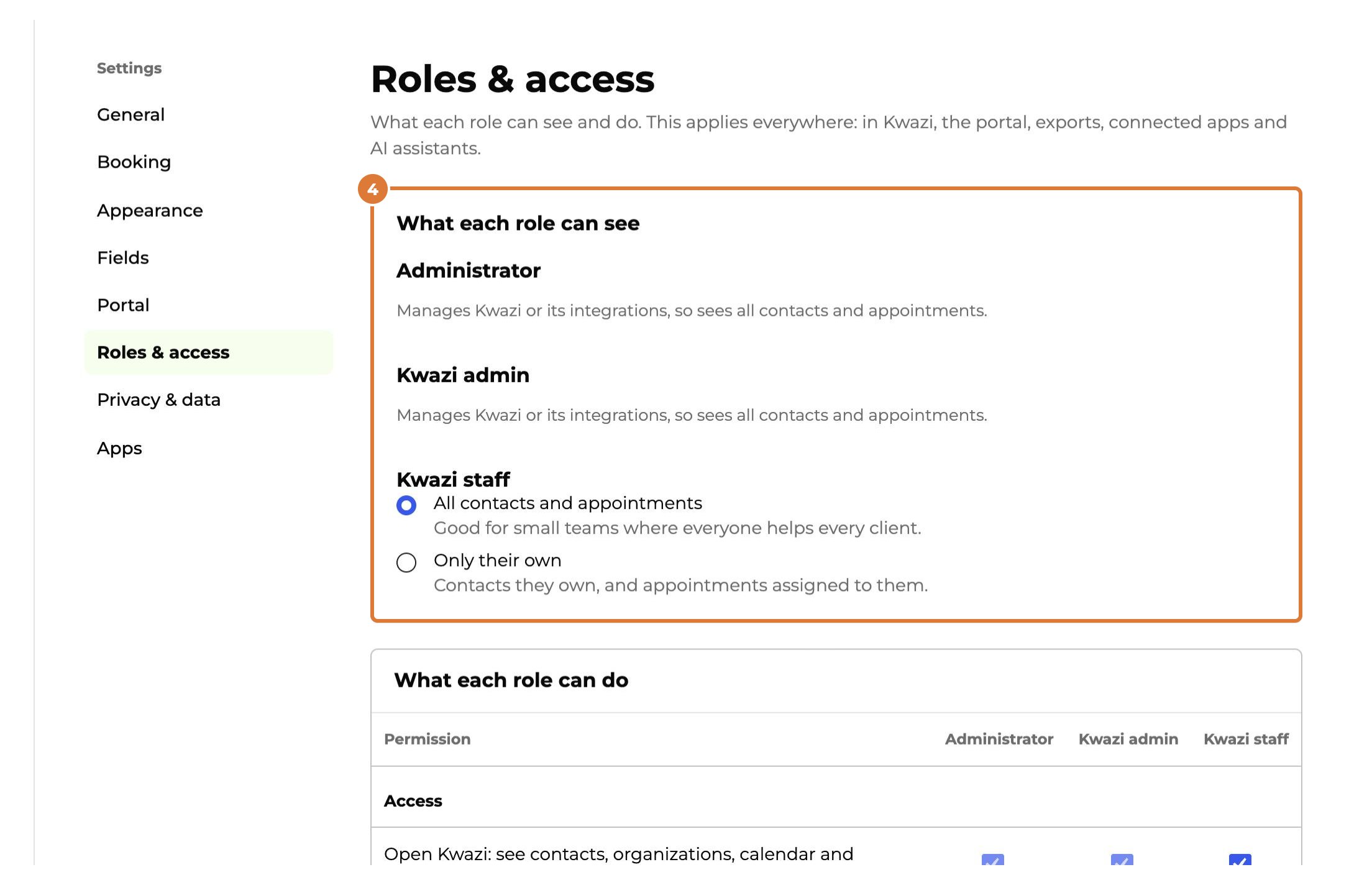
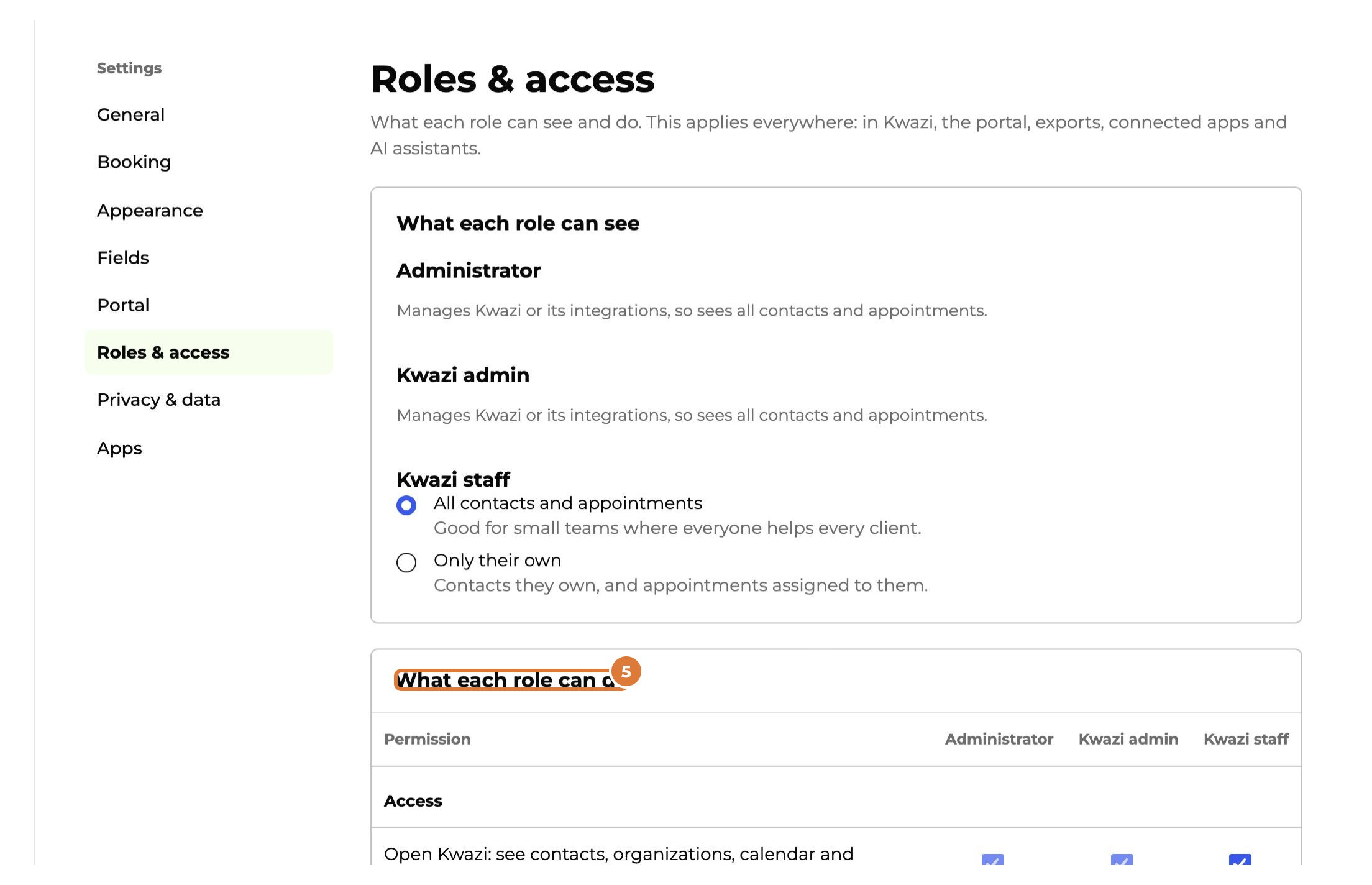
Settings → Roles & access, “What each role can see”: all contacts and appointments, or only their own (contacts they own and appointments assigned to them).
Step 5
“What each role can do”: tick per role what people may do, for example import, export or manage forms. Then “Save settings”.
Tip: Team members can also use Kwazi on their phone, in the portal, without the rest of WordPress (Settings → Portal).